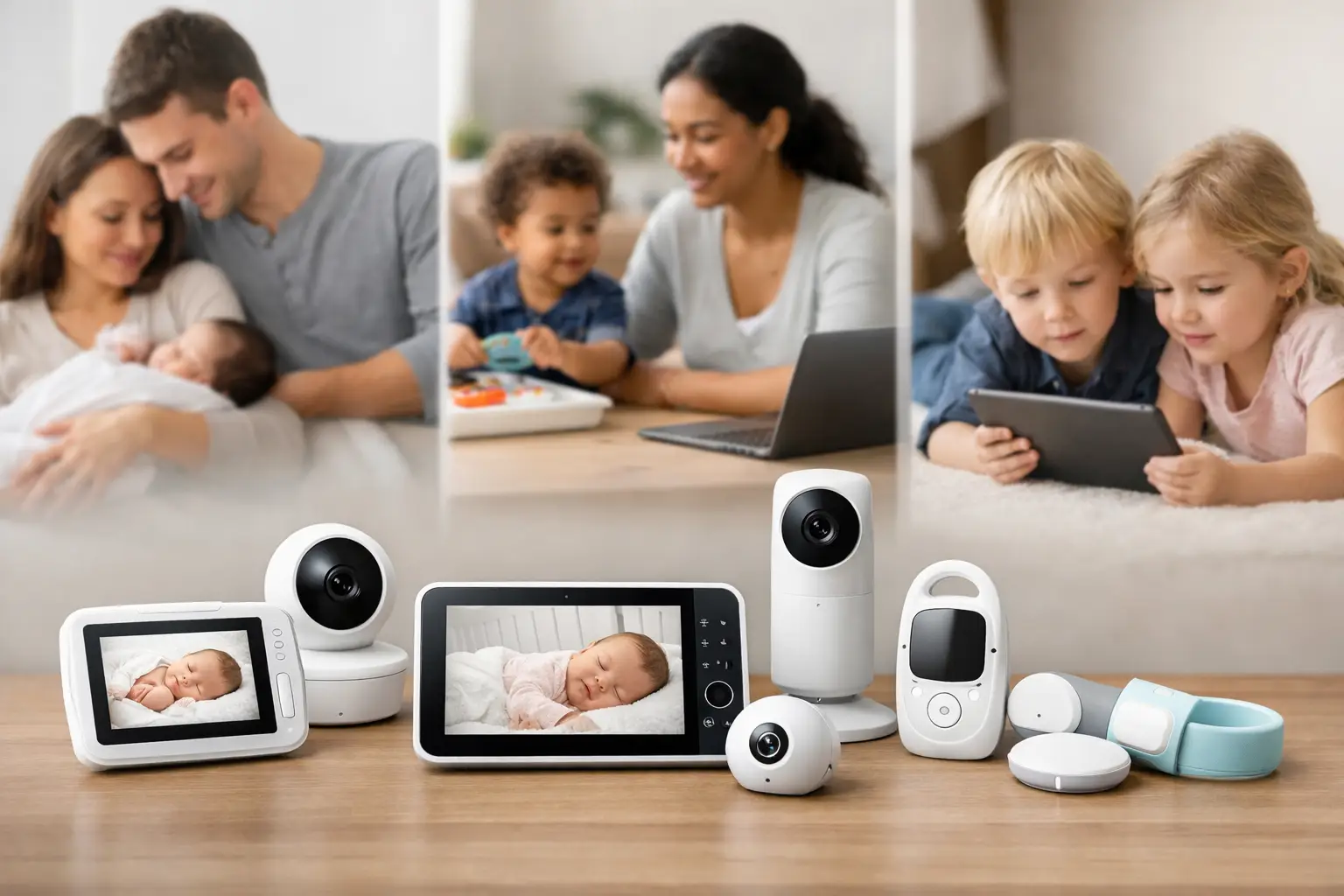
7 Best Baby Monitors for Different Families
A baby monitor should help you rest easier, not give you another screen, subscription, or notification to manage at 2 a.m. The best baby monitors are the ones that fit your home, your baby’s sleep space, and the level of information you actually want overnight. For some families, that means a reliable audio monitor with a long battery life. For others, a sharp video feed, breathing-motion alerts, or app access makes the most sense.
There is no single monitor that is right for every family. A family in a small apartment may not need the range or Wi-Fi features that help parents in a larger house. And if your internet drops often, a dedicated parent unit may be more reassuring than relying entirely on an app.
How to choose among the best baby monitors
Start with the decision that shapes nearly everything else: Do you want a non-Wi-Fi monitor, a Wi-Fi monitor, or a simple audio-only option?
Non-Wi-Fi video monitors send the camera feed directly to a handheld parent unit. They are often easy to set up, work even when your internet is down, and avoid putting a camera feed on a home network. The trade-off is that you usually cannot check the feed from work, while traveling, or from another caregiver’s phone.
Wi-Fi monitors connect to an app, allowing you to see your baby from almost anywhere with a reliable internet connection. Many include sleep tracking, two-way audio, and the ability to share access with a partner or caregiver. That convenience comes with privacy responsibilities. Choose a brand with strong account security, use a unique password, enable two-factor authentication when available, and keep the app and monitor firmware updated.
Audio monitors remain a smart choice, especially for parents who prefer fewer alerts and less temptation to watch every rustle. Babies make plenty of normal sleep noises. An audio monitor can help you respond when your child truly needs you without pulling you into constant checking.
As you compare models, focus on the features that will matter in your everyday routine:
- A clear night-vision image and dependable sound are more useful than a long list of novelty features.
- Consider battery life and whether the parent unit can stay powered through your usual bedtime window.
- Look for a camera that can pan, tilt, or zoom if you expect to use it as your baby becomes more mobile.
- If you have more than one child, choose a system that supports multiple cameras and lets you view or hear each room easily.
Range claims are generally measured in open spaces, not through several walls, appliances, and floors. If your nursery is far from your bedroom, test the monitor during the return window before relying on it overnight.
7 best baby monitors by family need
Best overall non-Wi-Fi choice: Infant Optics DXR-8 Pro
The Infant Optics DXR-8 Pro is a strong fit for parents who want a dedicated video monitor without using Wi-Fi. Its separate parent unit keeps the experience straightforward: turn it on, check the nursery, and put it down. The camera’s remote pan, tilt, and zoom are particularly useful once a baby starts rolling, sitting, and moving to unexpected corners of the crib.
This type of monitor is ideal if privacy and reliability are your priorities. It is less useful for parents who want to check in while away from home or let a grandparent view the feed from their own phone.
Best smart monitor for sleep-focused families: Nanit Pro
The Nanit Pro is designed for families who appreciate a camera with app-based viewing and sleep insights. Its overhead view can give you a full picture of the crib, which many parents find helpful during the newborn months and when they are adjusting sleep routines. The app can also make it simpler for two caregivers to share access.
The trade-off is that many of the more detailed tracking features may require an ongoing subscription. Consider whether you will truly use sleep data beyond the first year. A monitor should support your routine, not make you feel like every nap needs to become a report card.
Best budget video monitor: HelloBaby HB65
For a family that wants a traditional video monitor without spending heavily, the HelloBaby HB65 is a practical option. It provides the basics many parents need: a dedicated screen, night vision, two-way talk, and a camera you can adjust remotely. It is especially appealing for grandparents’ homes, travel, or families who need a second monitor setup.
Expect fewer advanced app features and a more basic display than premium models offer. That may be a benefit if simple and dependable is exactly what you need.
Best audio monitor: VTech DM1211
The VTech DM1211 is a thoughtful choice for parents who want to hear their baby clearly without adding a camera to the room. Audio monitors are often easier to pack, easier to use, and less likely to lead to late-night overchecking. Features such as sound-level lights can also be helpful when you are vacuuming, showering, or on a work call.
An audio-only setup is not for everyone. If seeing your baby helps you decide whether to step in, a video monitor may save you unnecessary trips into the nursery.
Best for a larger home: Motorola PIP1510 Connect
The Motorola PIP1510 Connect combines a dedicated parent unit with app access, giving parents flexibility around a larger home. You can use the handheld screen for ordinary evenings and check the app if you are outside, working late, or away for a short time. That dual approach can be useful when more than one caregiver needs access.
Before choosing any hybrid monitor, test both viewing methods in the areas where you spend time most often. Wi-Fi quality, wall construction, and the location of your router can affect your experience more than the box’s stated range.
Best for parents who want crib-view clarity: CuboAi Plus
The CuboAi Plus uses an overhead-style camera angle that gives parents a clear view of the sleep space instead of a side view partially blocked by crib rails. Its app-based alerts and family-sharing tools may suit parents who want extra awareness during naps and overnight sleep.
Like other smart monitors, it is best for households comfortable managing app permissions and internet-connected devices. Turn off notifications that do not help you act. More alerts do not always create more peace of mind.
Best for health-minded monitoring: Owlet Cam 2 with Dream Sock
For parents interested in wearable monitoring, the Owlet Cam 2 paired with the Dream Sock can offer a broader picture than a camera alone. The sock is intended to track sleep-related information while the camera lets you see and hear your baby. Some families find that combination reassuring during the early months.
It is worth keeping expectations grounded. Consumer monitoring devices do not replace safe-sleep practices, pediatric care, or your own judgment if your baby seems unwell. If your child has a medical concern, ask your pediatrician what monitoring, if any, is appropriate.
Set up your monitor with safe sleep in mind
Even the best monitor cannot make an unsafe sleep space safe. Keep the camera, cord, and power supply well out of your baby’s reach. Cords should never hang near the crib or be routed through it. Mount the camera according to the manufacturer’s instructions, then check the setup again as your baby begins to roll, crawl, and pull up.
Place your baby on their back for every sleep in a firm, flat sleep space with a fitted sheet and no loose blankets, pillows, stuffed animals, or crib bumpers. A monitor can help you observe your child, but it is not a substitute for following safe-sleep guidance.
For Wi-Fi models, take a few minutes to protect your account. Use a unique password, remove access for caregivers who no longer need it, and install software updates. These small steps make a meaningful difference in keeping your family’s video feed private.
The right monitor is the one that gives you useful information without adding pressure to monitor every breath, wiggle, or brief wake-up. Choose the features that solve a real problem in your household, set it up safely, and let it do its quiet job while you get some rest, too.